
Retry the webhooks you missed.
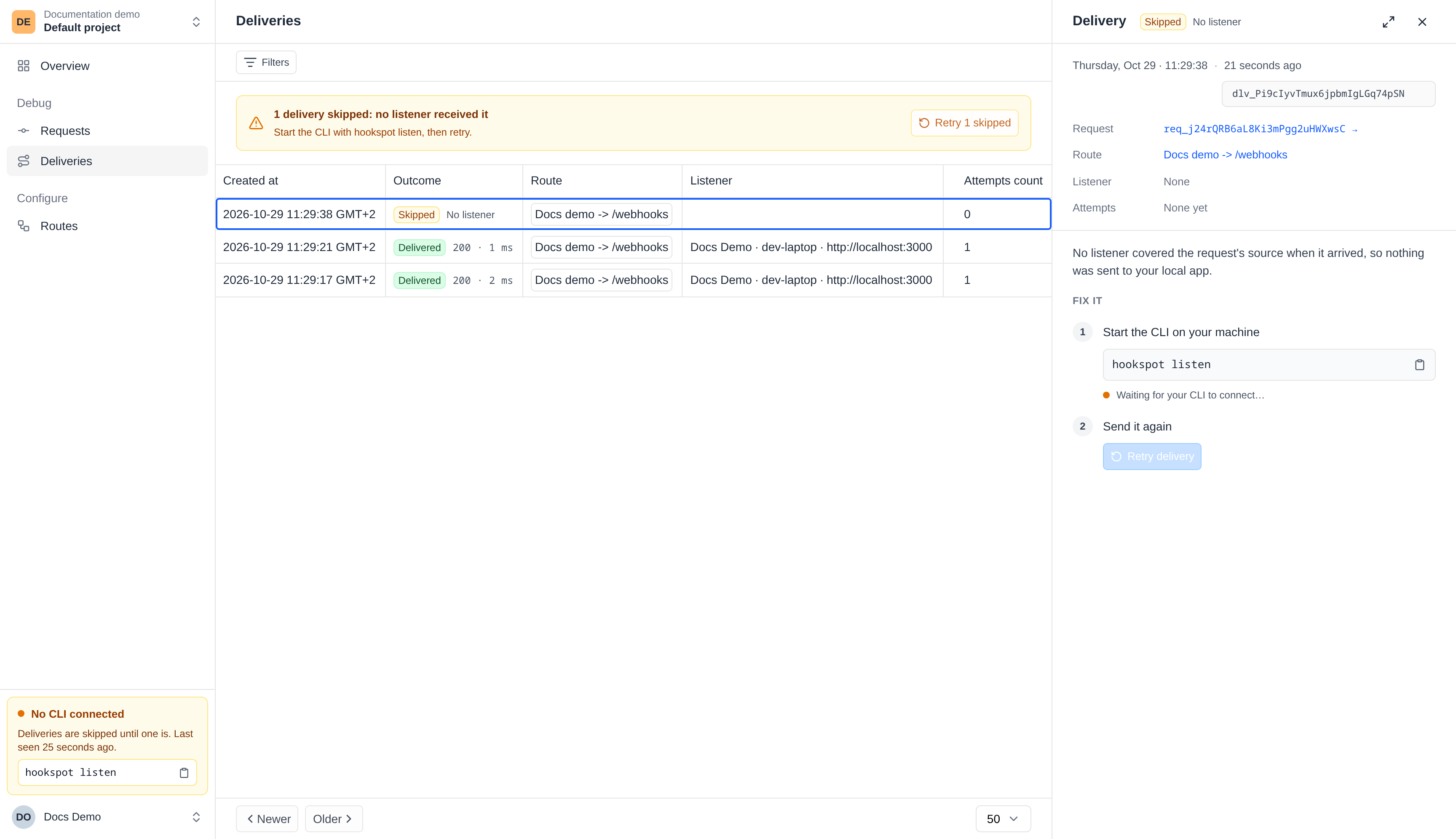
A webhook arrives while your laptop is off. Hookspot saves it and marks its delivery Skipped. Start hookspot listen when you're back, then click Retry to send it to your app.
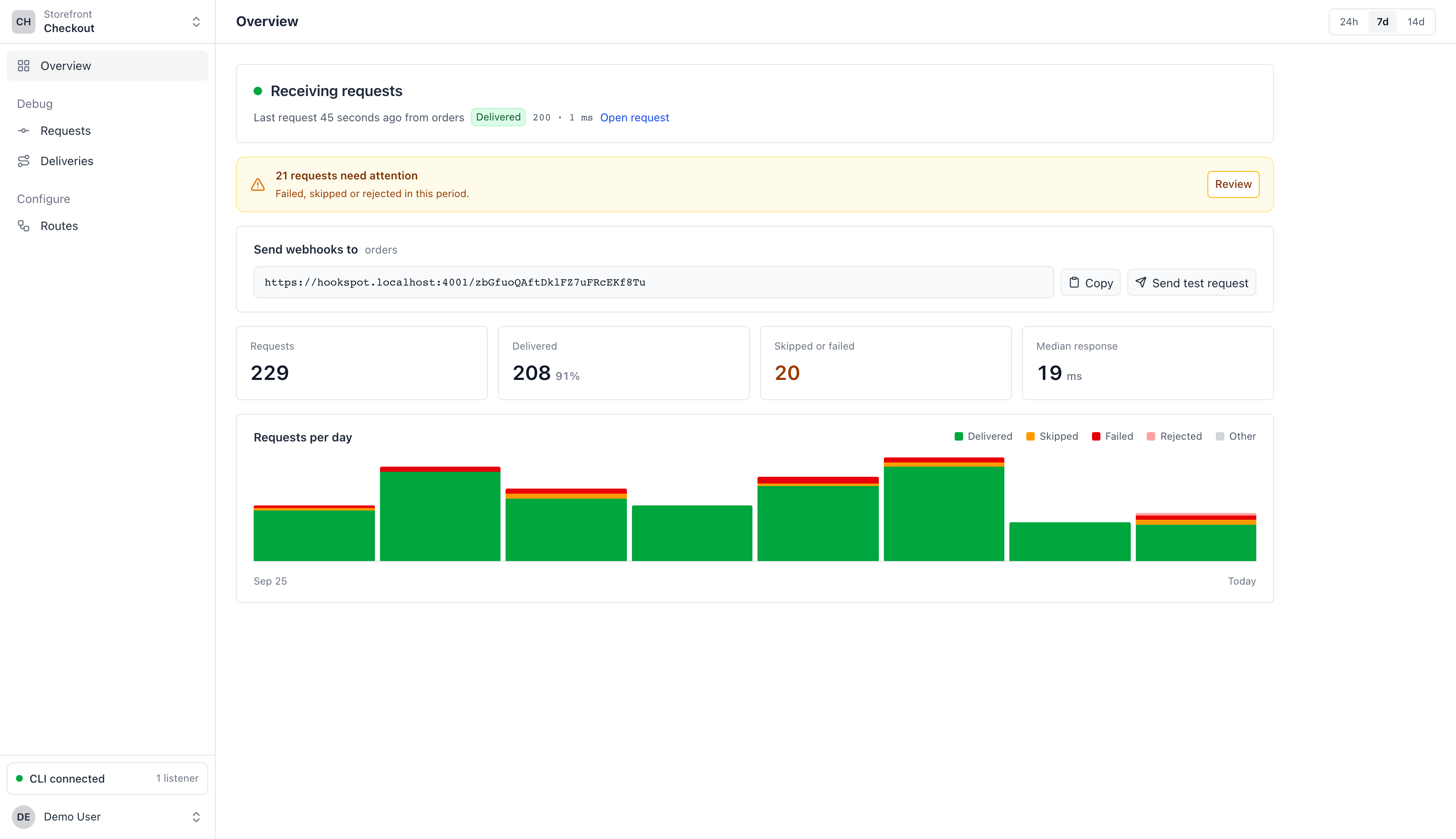
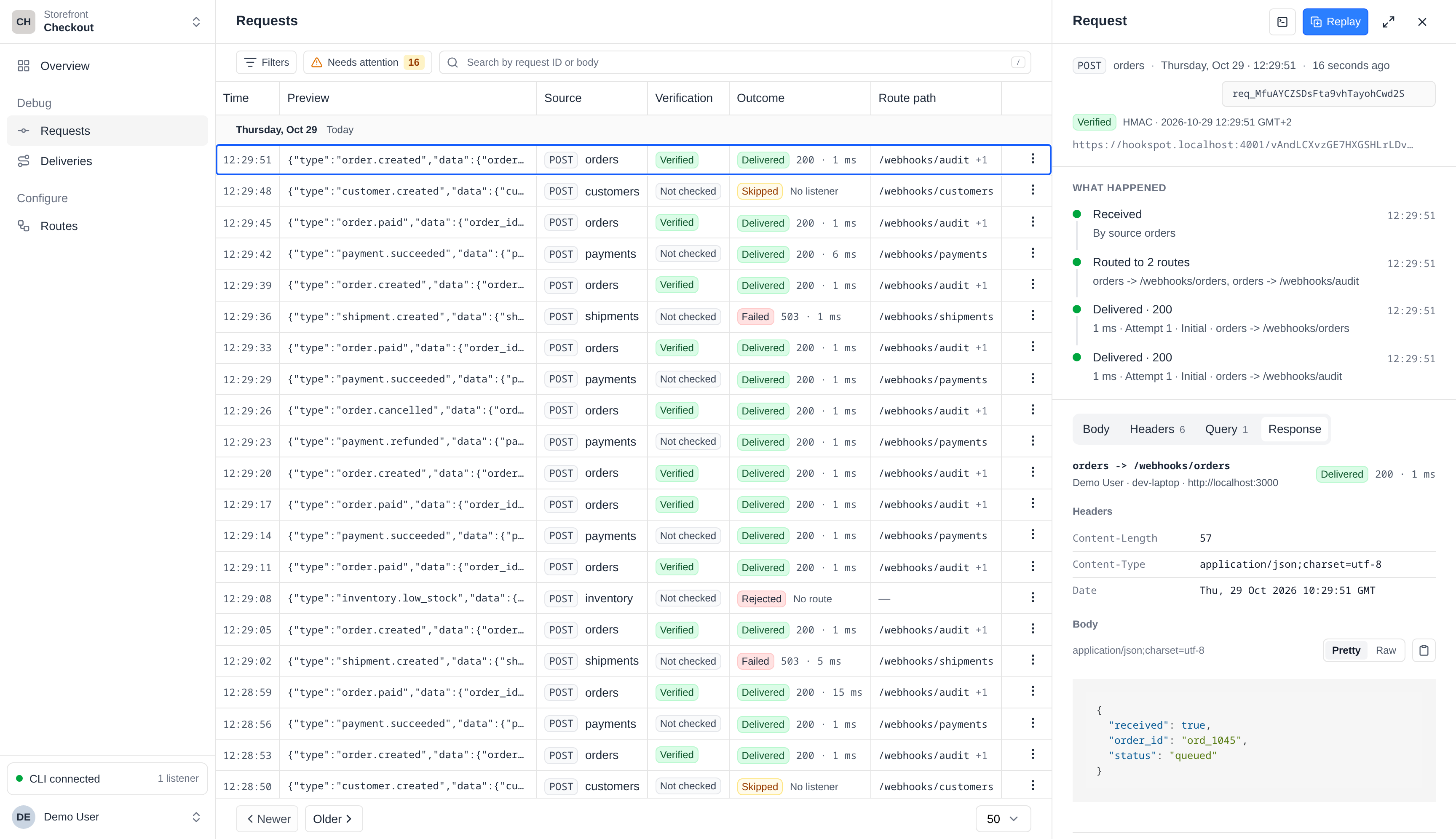
Receive webhooks on your laptop and see exactly what your app returned. Hookspot keeps each request for 14 days, ready to inspect and retry.
Free for 25,000 deliveries a month. No card needed.

Use GitHub, Google or email address.
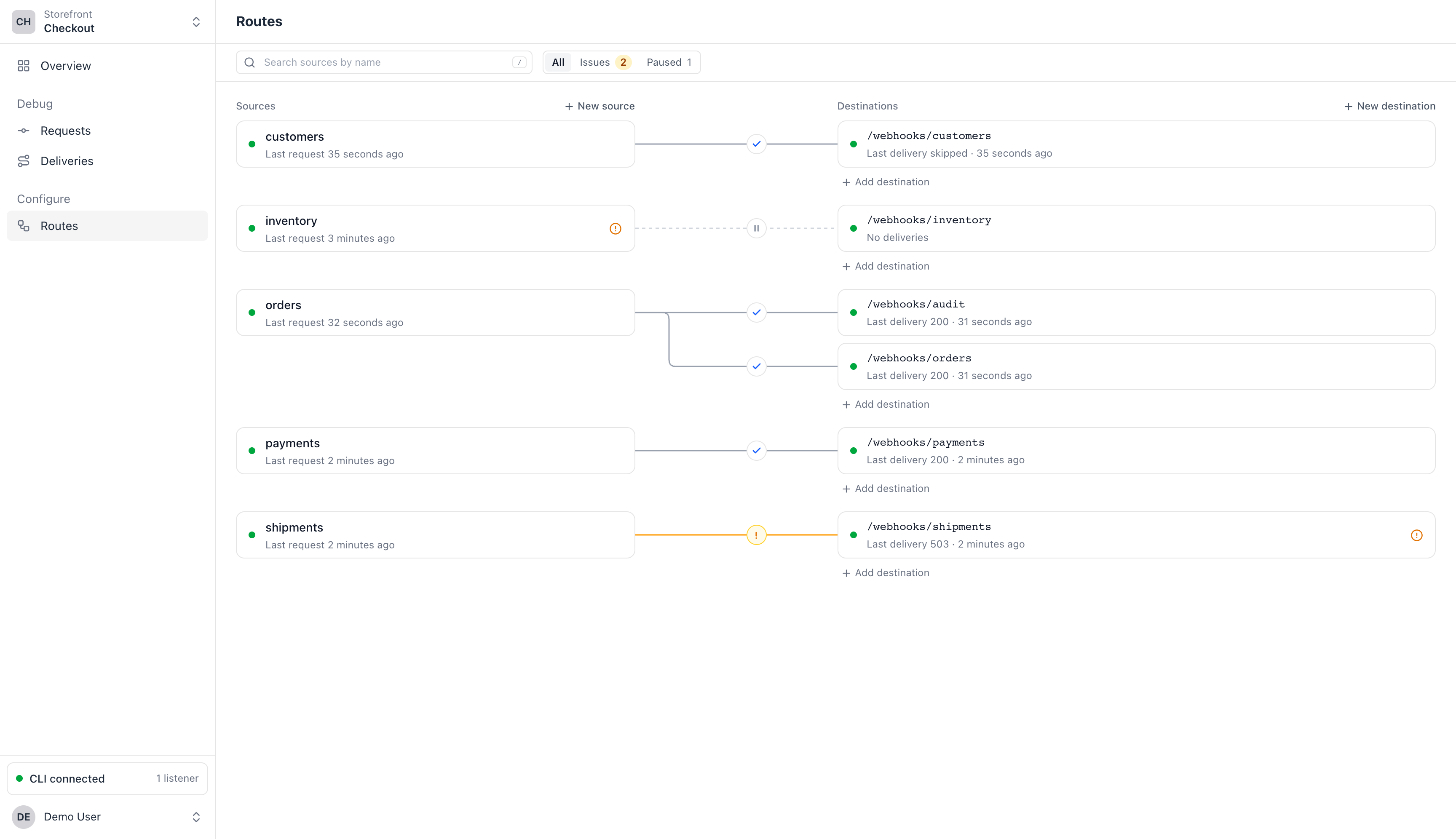
Name your webhook source and specify destination path. Copy source URL into the service that sends your webhooks.
hookspot listen --forward-to http://localhost:3000See the request and your app's response in Hookspot and your terminal.
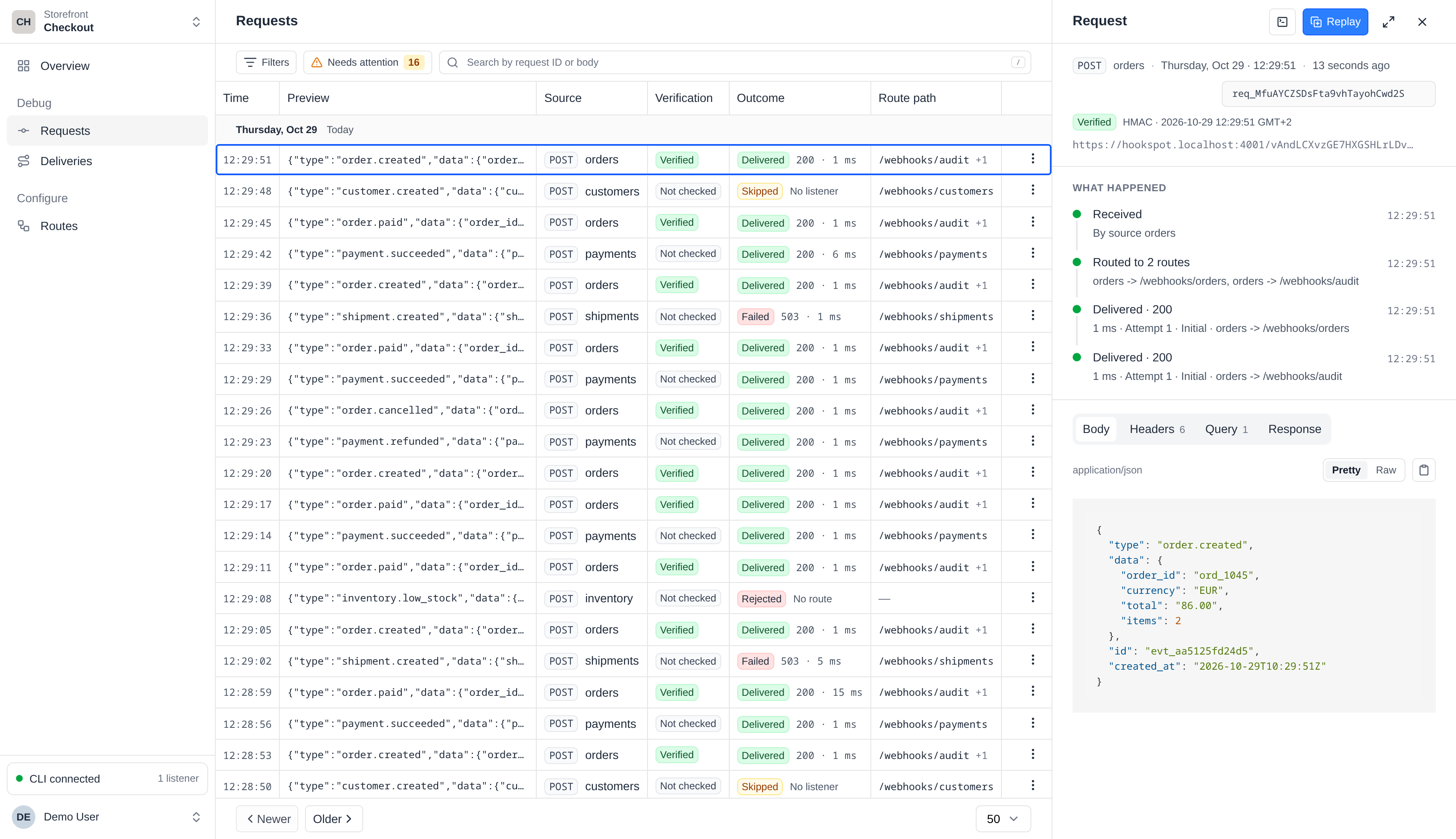
Follow the quickstartA failed webhook gives you a test case. Keep its payload, inspect the response and send it to your app again as you work on the fix.
Incoming webhooks1,284 stored
Webhook URLStores each webhook
Your laptop
hookspot listenconnected/webhooks/orders200 OK/webhooks/audit200 OKA webhook arrives while your laptop is off. Hookspot saves it and marks its delivery Skipped. Start hookspot listen when you're back, then click Retry to send it to your app.
Open Attempts to see the response from each try. If your app returns a server error or can't be reached, Hookspot retries automatically, up to five attempts.
Automatic retries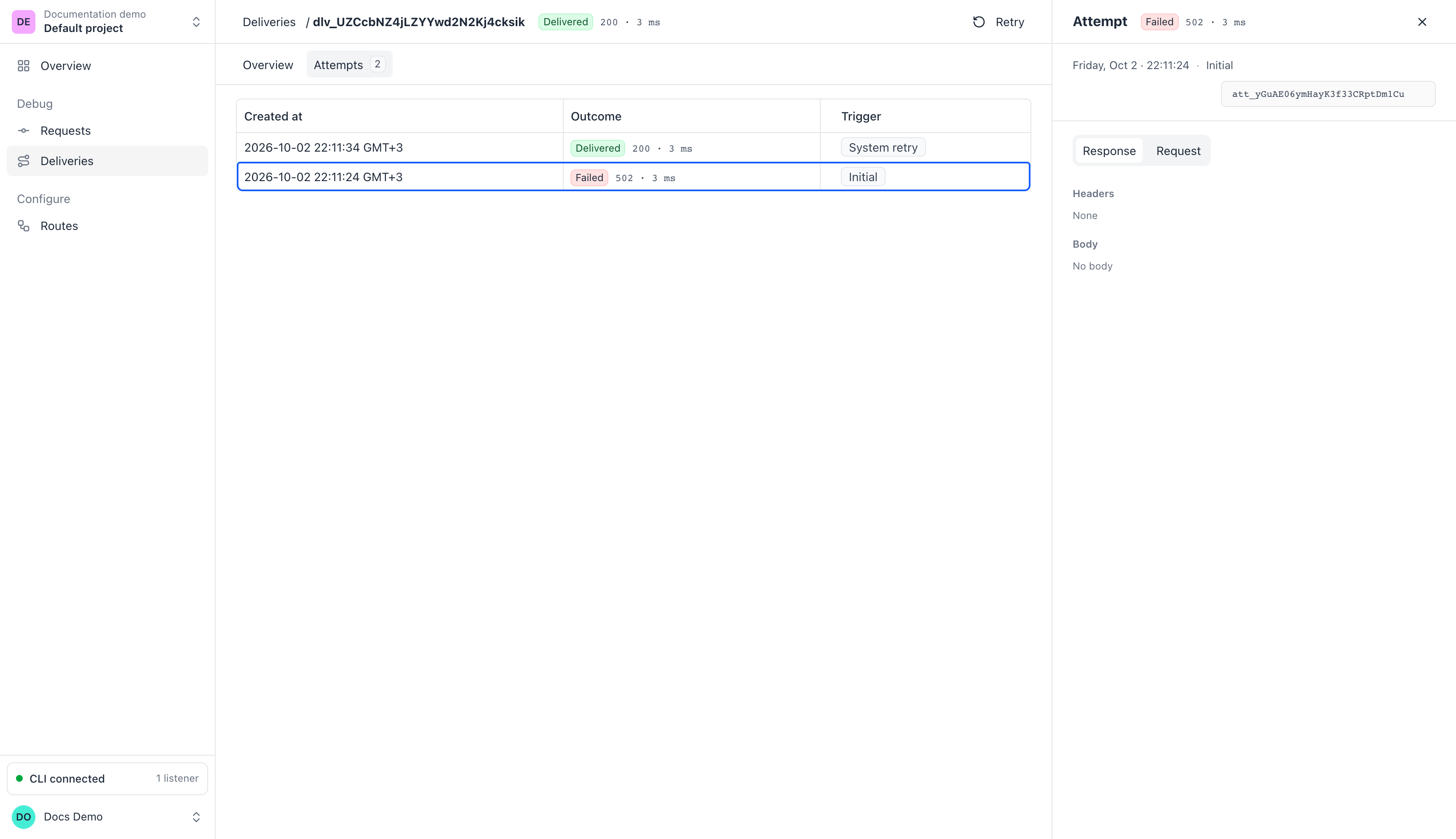
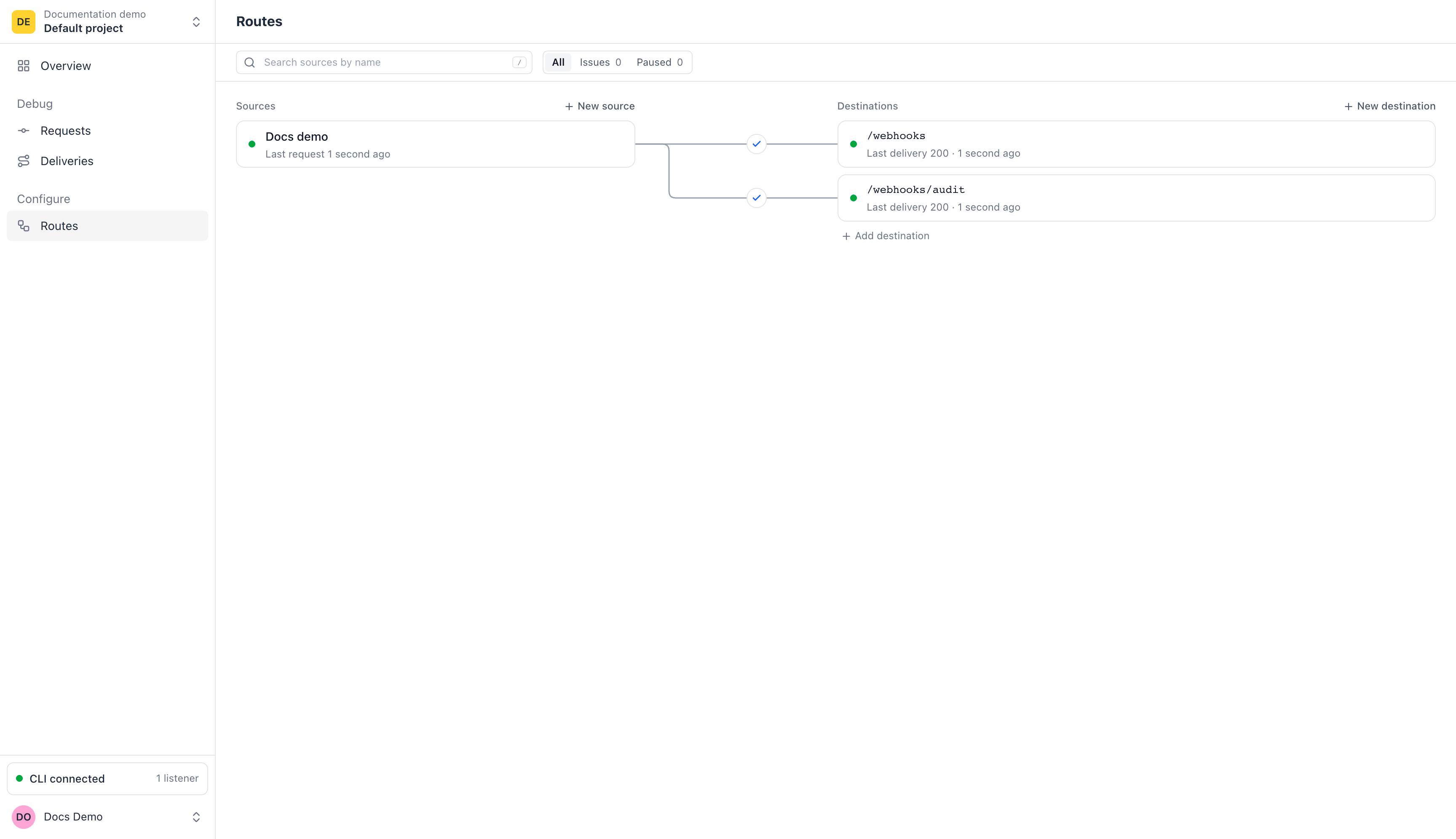
Send the same request to /webhooks and /webhooks/audit. Each path gets its own delivery and response, so you can see which one failed.
r.Select the request in hookspot listen and press r to replay it. Compare your app's new response with the previous one, using the same webhook.
#2 ↻ #1 422 → 200 4ms → 1ms orders · POST /webhooks/orders 20:35:15.890 - "error": "missing customer_id" + "received": trueYes. Create a route, run hookspot listen and click Send test request in Hookspot. You'll see the request in your terminal. Add --forward-to when your app is ready to receive it.
Yes, if your provider sends webhooks to a URL you choose and accepts Hookspot's reply. Providers that need your app's own response to confirm the URL are not supported. Slack is the exception, because Hookspot answers its URL check for a Slack source.
Slack's URL checkStart hookspot listen, then click Retry in Hookspot. For several skipped deliveries, use Retry N skipped. Restarting the CLI alone does not resend them.
Yes. Free includes up to 3 members in one organization, and Pro includes 25. Invite another developer to inspect the same requests, responses and delivery attempts.
Invite a memberInstall the CLI with npm (Node.js 18 or newer) or Homebrew.